Setup
Connect your custom build step by step.
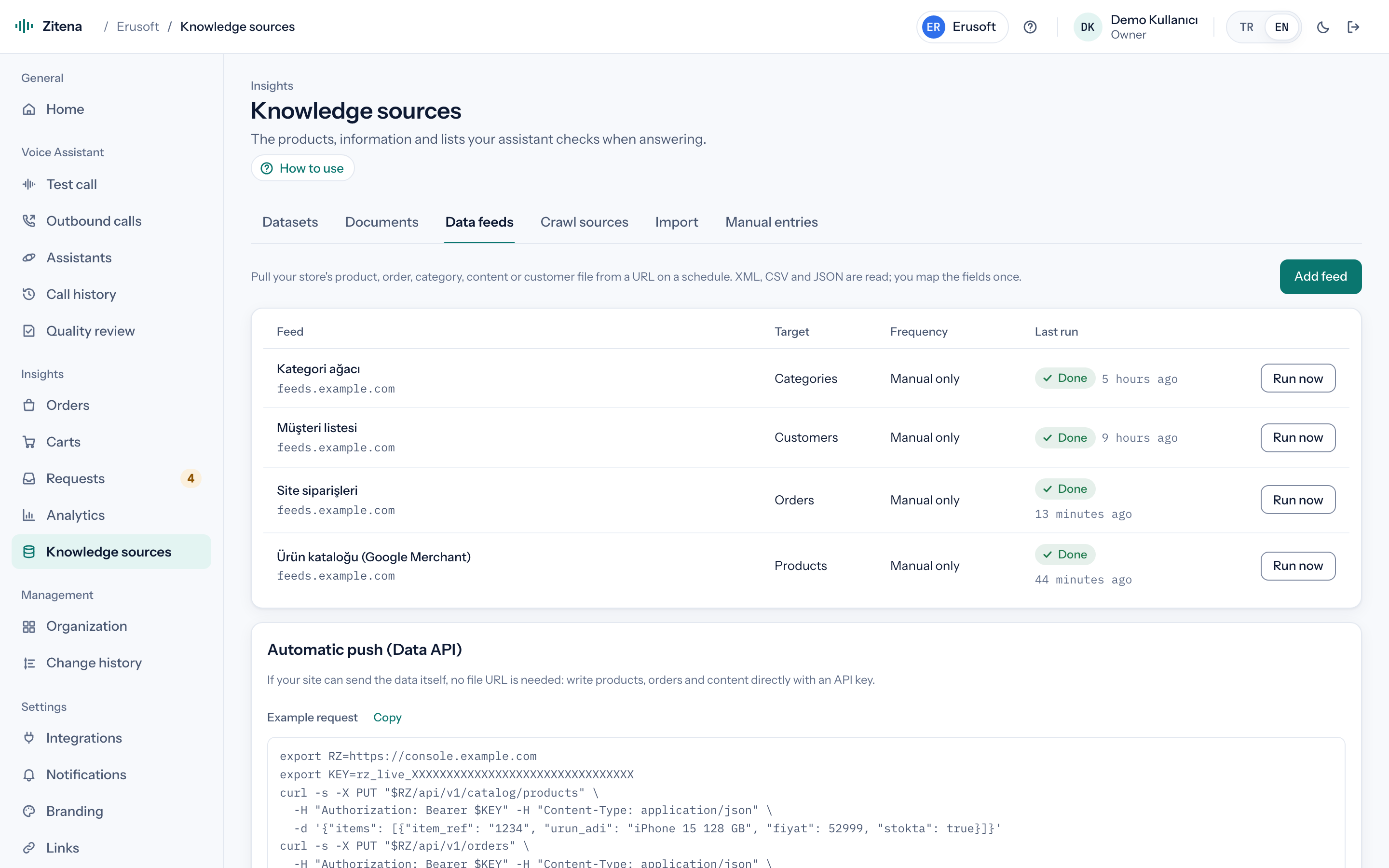
Your own software, an ERP or a platform not listed here (Shopier, OpenCart and others): push data through the REST Data API, give us an XML/CSV/JSON feed or upload a CSV.
- Connection
- Data API · feeds · CSV
Setup steps
Store data first, then the phone line and the assistant. Each step says who does it.
Choose how data comes in
For products a single XML/CSV/JSON URL is usually enough; field and status mapping happen in the console. For orders, customers and carts the REST Data API is recommended.
We do this together during setupAPI key and endpoints
A secret key is created in the console. Data is written in batches with PUT: /api/v1/catalog/products, /api/v1/catalog/categories, /api/v1/orders, /api/v1/musteriler (customers), /api/v1/sepetler (carts) and /api/v1/kb/articles (knowledge articles). When orders carry status, carrier, tracking number and phone, the assistant recognises callers.
Receive events back
Webhooks send call-completed, request events and outbound results to your system; you can start outbound calls with a stated subject through the REST API.
Connect your phone line
We connect your existing SIP line with one of the presets (Twilio, Telnyx, Vonage, Netgsm, Verimor and others) or generic SIP. You keep your number; we map which number goes to which assistant and set the transfer targets.
We do this together during setupSet the assistant up for your store
Greeting, return and exchange policy, working hours, which topic goes to whom, and outbound call purposes. We add your shipping and payment pages to the knowledge base.
We do this together during setupTest, then go live
Place a test call from the browser or to your own phone and follow the transcript, response times and created requests in the console. Publish the version when you are happy; roll back in one click if needed.
Guided setup
The first setup is always done together.
We never leave a store alone with a setup document. We do the first setup with you, over a screen share or by collecting details through a secure channel, and we listen to the first test call together.

Hear it on a call with your own store's data.
In thirty minutes we walk through the console, place a live call and work out which of your calls the agent can take.
or write to [email protected]