cart
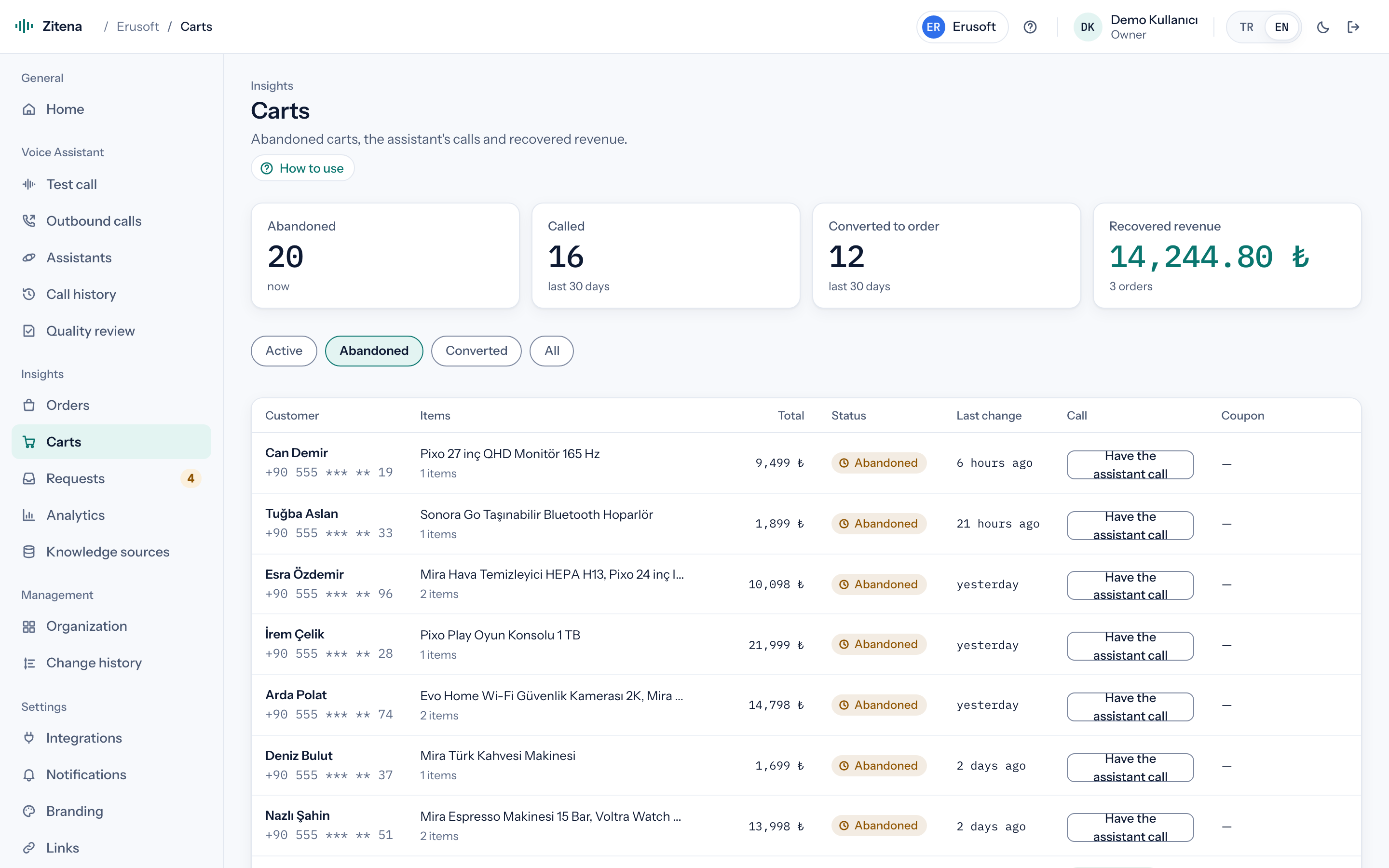
Abandoned cart recovery
Reminds the customer what's in the cart and answers questions. When your rules allow, it can offer a single-use coupon locked to the customer's email.
Outbound calls
Whoever starts the call writes its subject, and the agent tells the customer why it's calling in its first sentence. You can run CSV list campaigns too, but every row is still called with a purpose and a subject. Consent, hours and repeat checks run before any number is dialed.
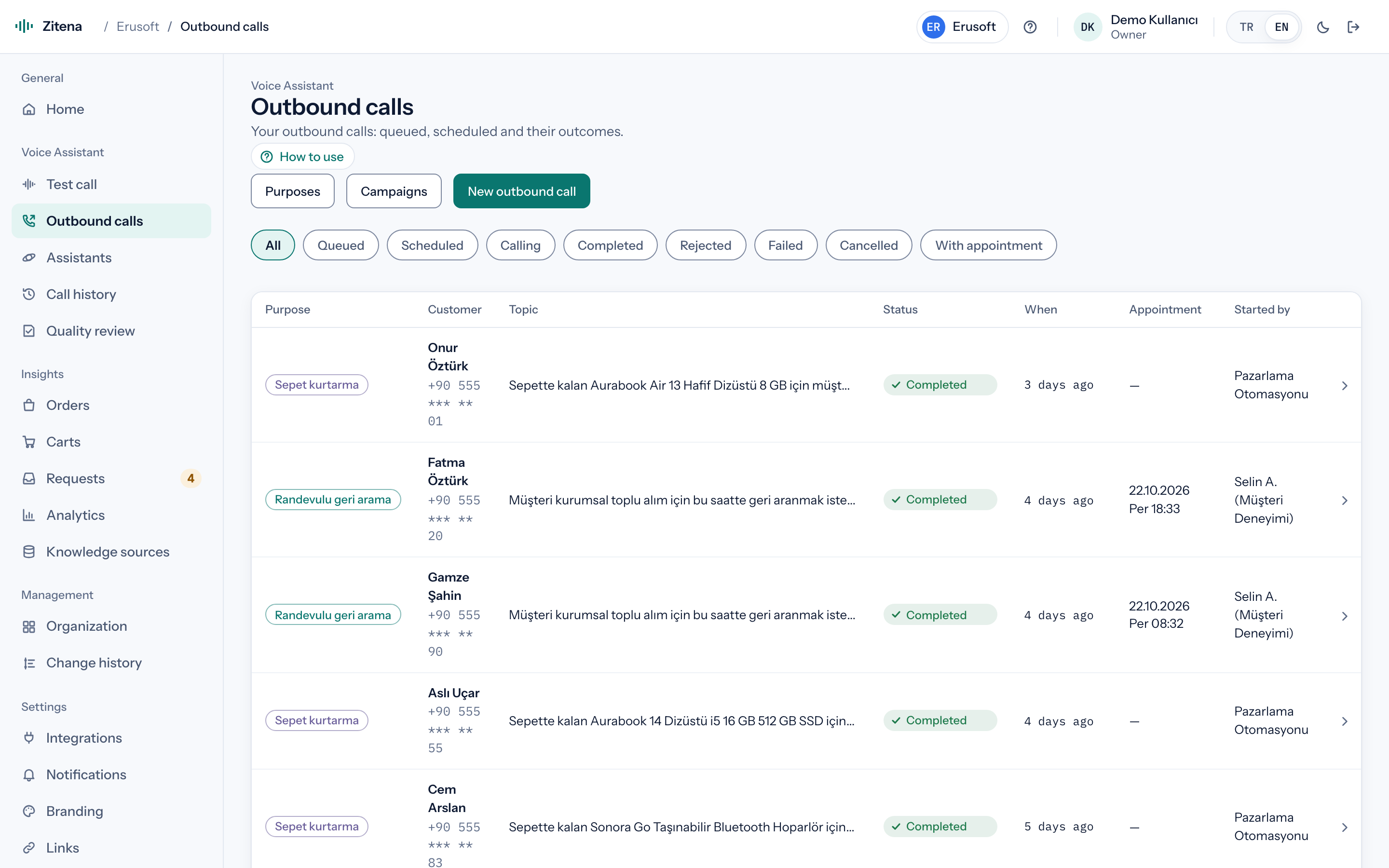
Purposes
Each purpose has its own settings and outcome codes, including whether the İYS consent check applies.
Reminds the customer what's in the cart and answers questions. When your rules allow, it can offer a single-use coupon locked to the customer's email.
Calls after a delivery or a complaint, takes the feedback and records the outcome for your reports.
Lets the customer know about a delayed order or an ongoing return before they have to ask.
A support call about setting up or using a product, with the subject written in advance.
Calls at the time the customer asked for. Appointments made with phrases like "tomorrow afternoon" join this queue.
Finishes what was left open on an inbound call, calling back with the earlier call's context.
Who starts it
Your team picks a customer, writes the purpose and subject, and places the call now or schedules it.
You upload a list; each row is called with the campaign's purpose and subject template. A preview runs every check without placing a call. On the Pro and Enterprise plans.
A signed-in customer asks to be called about their cart, order or the number on their account. They don't type a number.
Your own system (for example a cart-abandoned event or a return record) sends a call request; requests without a subject are rejected.
The subject, in the first sentence
"Hi, this is Erusoft calling about the headphones you left in your cart yesterday. Do you have a couple of minutes?"
The agent says who it is and why it's calling right away. Customers never have to ask "who is this and what do you want?"
Example opening line. Store name and subject come from your settings.
Before dialing
If any check fails, the call is not placed. The İYS check is switched on or off per purpose; the others apply to every outbound call, campaigns included.
Commercial-communication consent (İYS, Turkey's consent registry) is checked with the consent provider your company configures: your İYS integrator or your own HTTP endpoint. With no consent or no answer, the number is not dialled. You decide which purposes need it; for example on for cart recovery, off for order updates.
Calls only within the hours you allow, so nobody gets a call late at night.
The list is stored as hashes, not as the numbers themselves. A listed number is never called for any purpose.
The same customer isn't called again and again about the same topic within a short time.
Limits on call volume, so a campaign never floods your line or your team.
Site button
A customer signed in on your site leaves a topic, and the agent calls them back. The button only works from your own domain and with a single-use token your store's server issues; an anonymous visitor can't type in any number to be called.
A public key is created in the console with your allowed domains. A short snippet goes on your site.
For a signed-in customer's cart, order or phone, your store's server uses its secret key to get a short-lived, single-use token. Requests without a token or from another domain are rejected.
They choose a purpose, write the topic and ask to be called now or at a set time. The number comes from the cart, order or account record.
İYS consent, calling hours, the do-not-call list, the repeat guard and quotas apply to every request. The topic is known, so the agent goes straight to it; the call and its outcome show in the console.
Outcome
Outcome codes instead of free-text summaries: was the customer reached, was the purpose achieved, was a callback requested, was a coupon given. Compare campaigns, and pull outcomes into your own system with webhooks.
In thirty minutes we walk through the console, place a live call and work out which of your calls the agent can take.
or write to [email protected]